

Workspace Setup
Configure your workspace branding, invite team members, and set up your email preferences.
Your workspace is your company's home in Market Trak. Everything you create (reports, posts, leads, templates) belongs to your workspace. You can customise it with your branding, invite team members, and configure email settings.
Accessing workspace settings
Click your profile icon in the sidebar, then select Workspace settings. You can also navigate directly to /workspace-settings.
Branding
Make your reports, emails, and public pages look like they come from your agency.
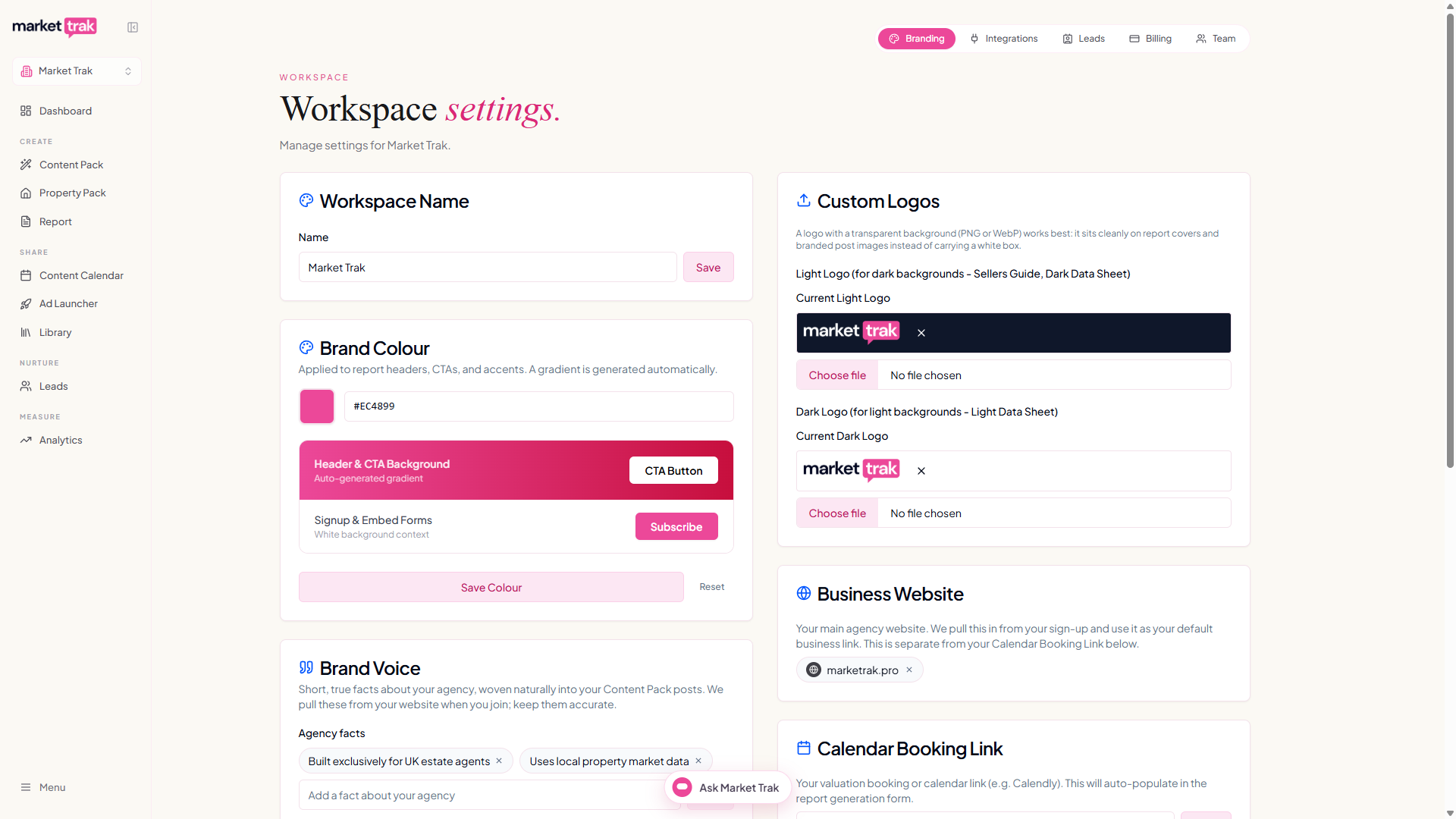
Workspace name
This is your agency's name, and it is the one your customers see. It appears above the question on your Property Pack question-card photo, and your posts are written knowing which agency they are for.
Set it to your agency's trading name. If it still says My Workspace, your name is left off those posts rather than a placeholder being printed on them, so it is worth changing. Only the person who created the workspace can rename it.
Logo
Upload your company logo in two variants:
-
Dark logo - displayed on light backgrounds
-
Light logo - displayed on dark backgrounds
Use a PNG with a transparent background for both. That is what lets your logo sit on a photo or a coloured card without a white or dark rectangle around it. A JPG always carries a solid background, because the format cannot store transparency.
Uploading from a phone? Choosing a logo from your photo library turns it into a JPG and loses the transparent background, even if the file started as a PNG. To keep it, tap Browse or Files and pick the PNG directly, or add your logo from a computer. If you are not sure which file to use, send it to us and we will set it up for you.
Brand colour
Set your primary brand colour. This is used on report buttons, email call-to-action buttons, and other accent elements. You can enter a hex code or use the colour picker.
Calendar Booking Link
This will appear on your reports if selected and also added to your instant valuation page. You should use your valuation booking page link or a Calendly type page if you have one.
Cookie consent
Toggle whether a cookie consent banner appears on your public report pages. This helps you comply with GDPR and similar regulations. Please remember to add your Privacy Policy link.
Email settings
Configure how emails are sent from your workspace:
-
Sender name - the "From" name recipients see
-
Reply-to address - where replies go
-
Welcome email - toggle automatic welcome emails for new leads on or off
For custom email domains, see Email Domains.
Next steps
-
Navigating the App to learn the interface
-
Billing to manage your subscription