

Getting Help and Contacting Support
How to reach the Market Trak team: live chat from the menu inside the app, or email support@marketrak.pro.
There are two ways to reach the Market Trak team: live chat inside the app, or email.
Live chat
Chat is the quickest way to reach us. You open it from the menu.
- Click Menu at the bottom of the sidebar.
- Click Get help.
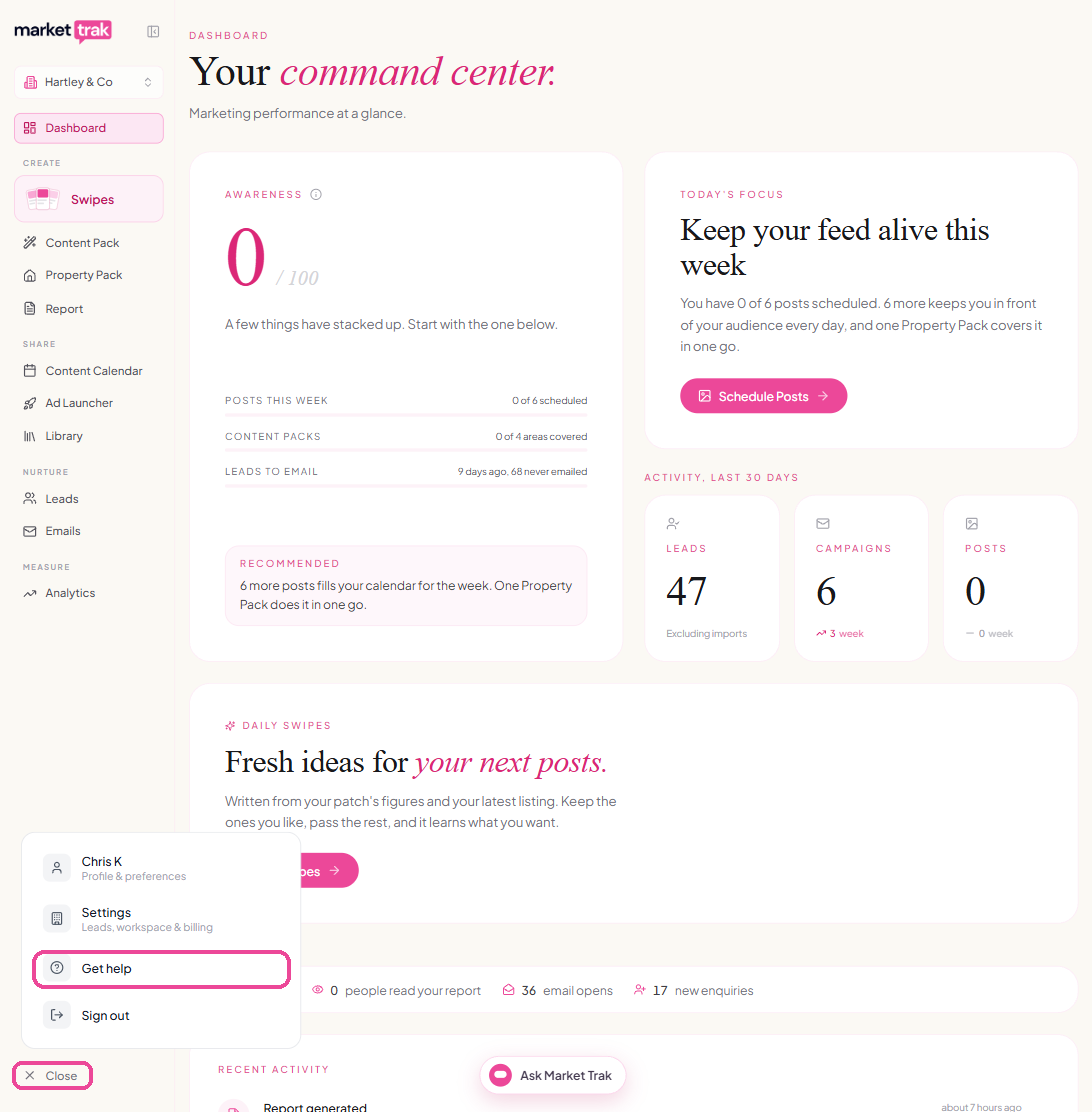
The chat opens on the page you are on. You can also find Get help in Settings, under Account. (Pricing only appears in the menu during your free trial.)
- Tap your initials in the top-right corner to open Account.
- Tap Get help, in the Account group.
The chat opens over the screen you are on.
When we reply, a number appears on Get help showing how many messages you have not read yet.
Email us at support@marketrak.pro.
To help us sort things out quickly, include:
- the name of your agency or workspace
- what you were trying to do, and what happened instead
- a screenshot, if you can take one
How-to questions
For questions about how something works, you can also ask the Assistant inside the app, or search this help centre. If the answer is not here, use chat or email and we will help.